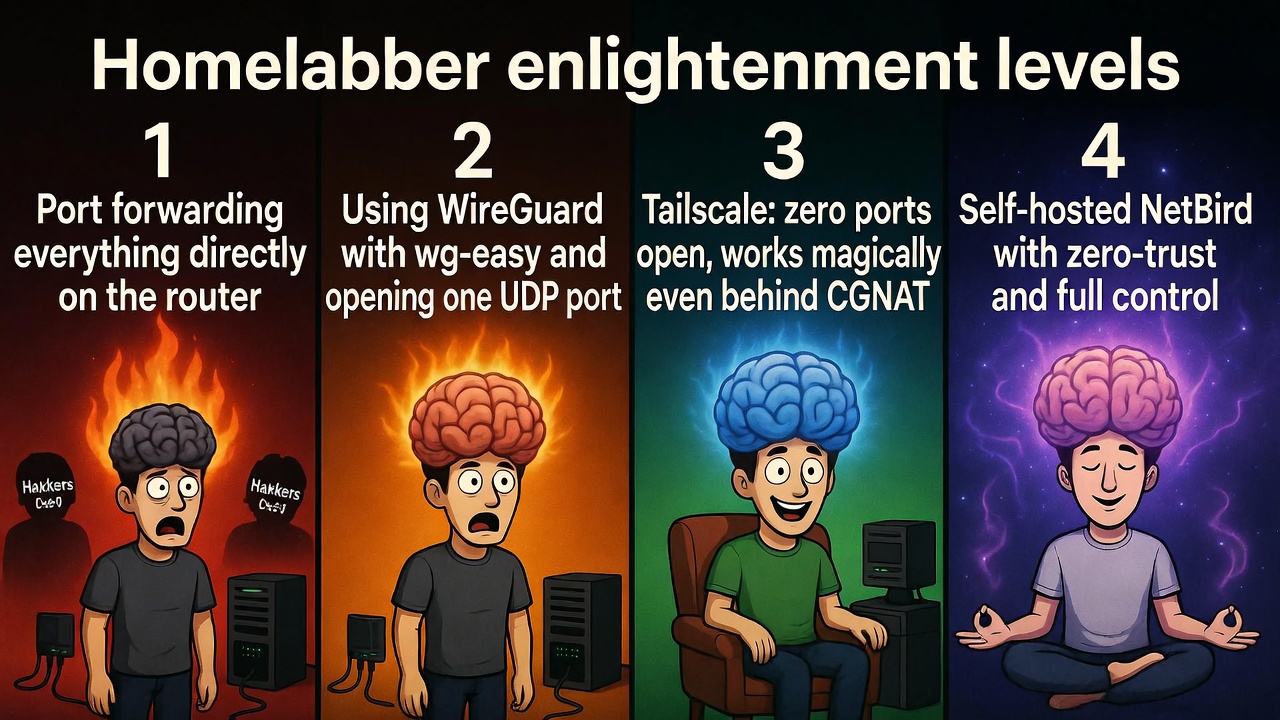
Hi! Here’s an overview of the ways to access your homelab from the outside. In France, we often have the chance to have a fixed IP, but I know that in the US or in Cameroon (my country of origin), it’s much rarer because of CGNAT. We’re going to review the options, from the most basic to the most advanced: port forwarding, WireGuard, Tailscale, and NetBird. The idea is always to stay secure – never expose your services without serious protection.
1. Port Forwarding: The Simplest Solution (but Limited)
You simply open ports on your router to redirect traffic to your server. You identify your server’s local IP (like 192.168.1.100), go to your router’s interface (often 192.168.1.1), create a rule in NAT/Port Forwarding – for example, external port 80 to internal 80 – and you access it via your public IP (found on whatismyip.com). If the IP changes, a DDNS like No-IP or DuckDNS does the trick.
It’s direct, fast in terms of latency, perfect for quick testing. However, in a CGNAT zone (common in the US or Cameroon), it doesn’t work at all. And on the security side, it’s risky: you expose ports to the whole world. Always use HTTPS, strong passwords, and a reverse proxy like Caddy (which handles HTTPS automatically) to limit damage. For sensitive services, frankly, go straight to a VPN.
2. WireGuard: The VPN that Changes Everything
WireGuard is the modern, lightweight, and ultra-high-performance VPN that everyone loves in the homelab world. Instead of opening one port per service, you only open one (usually UDP 51820) and once connected, your entire local network is accessible as if you were at home.
It’s fast thanks to its minimal code (~4000 lines), much more secure than old VPNs, and super simple once configured. The only catch: you still have to open that port on the router and manage a DDNS if you don’t have a fixed IP.
To make it child’s play, use wg-easy with Docker. Install Docker first:
curl -sSL https://get.docker.com | sh
Then create a docker-compose.yml:
version: '3.8'
services:
  wg-easy:
    environment:
      - WG_HOST=your-domain-or-public-ip
      - PASSWORD=your-admin-password
    image: weejewel/wg-easy
    volumes:
      - .:/etc/wireguard
    ports:
      - '51820:51820/udp'
      - '51821:51821/tcp'
    restart: unless-stopped
    cap_add:
      - NET_ADMIN
      - SYS_MODULE
    sysctls:
      - net.ipv4.ip_forward=1
      - net.ipv4.conf.all.src_valid_mark=1
Launch with:
docker compose up -d
Open UDP port 51820 on the router, go to http://your-ip:51821, generate client configs, install WireGuard on your devices, and import. For added security, protect the web interface with Caddy.
It’s already a big step up in security compared to raw port forwarding.
3. Tailscale: Effortless Magic
Tailscale is WireGuard on steroids. You install the app on your server and on all your devices, log in to the same account, and bam – everyone sees each other as if on a local network. Zero router configuration, zero ports to open, zero need for a fixed IP.
It uses outbound connections and a coordination server to establish direct peer-to-peer tunnels. It works even behind the worst CGNAT. You get dedicated IPs like 100.x.y.z, ACLs to control who sees what, and it’s free for personal use (up to 3 users and 20 devices).
The only “negative” point: it goes through Tailscale’s servers for coordination (data remains encrypted and peer-to-peer). If you want zero external dependence, move to the next one.
Ultra-simple installation: create an account on tailscale.com, on your Linux server:
curl -fsSL https://tailscale.com/install.sh | sh
Then:
tailscale up
On phone/PC, same account and you’re good. Honestly, it’s the solution I use daily for its absolute simplicity.
4. NetBird: The 100% Independent Version
NetBird is the equivalent of Tailscale but entirely open-source and self-hosted. You keep total control, zero mandatory third-party cloud.
It’s based on WireGuard too, with a nice web interface, fine-grained access management (zero-trust, device posture checks), ACLs, integrated DNS… Everything you need for a pro setup at home.
To install it, you need a small public VPS (OVH, Hetzner, AWS – 1 CPU/2 GB are enough) and a domain pointing to it. You open TCP 80/443 and UDP 3478 on the VPS.
One-line installation on the VPS (Docker required):
export NETBIRD_DOMAIN=your-domain.com; curl -fsSL https://github.com/netbirdio/netbird/releases/latest/download/getting-started.sh | bash
Go to https://your-domain.com, create your admin via /setup, add your users in the dashboard, install NetBird clients on your machines, and connect.
You can even integrate Google or Microsoft for auth. It’s perfect when you want to master everything yourself.